
Graphtec Softwares
Registration is required to download our Cutting Master 5 Plug-in or Graphtec Studio 2 Software

In industries and crafts where precision and efficiency in paper cutting are paramount, advanced plug-in software has become an indispensable tool. Our Cutting Master 5 plug-in integrate seamlessly with our cutting machines, enabling users to design, control, and optimize paper cutting processes with remarkable accuracy and speed.
CUTTING MASTER 5 boasts a list of new and improved operational features with an intuitive interface that will boost your production to the next level.
Most notable new feature is the REMOTE PANEL UTILITY that gives you Full Access to the Cutter Control Panel from your computer for a more efficient workflow.
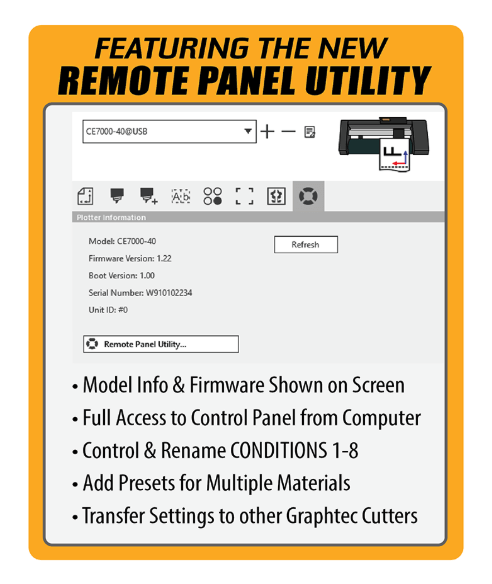
OTHER NEW FEATURES INCLUDE:
-
CONNECT CUTTERS EASILY with the New AUTO SYNC OPTION
-
Run MULTIPLE GRAPHTEC CUTTERS from One Computer
-
MAC & PC COMPATIBLE
-
EASY UPGRADE from SILHOUETTE SOFTWARE to the Graphtec Professional Line of Cutters and Software
Compatibility
CorelDraw 2026 is not compatible with CM5. Please continuing checking our website for updates.
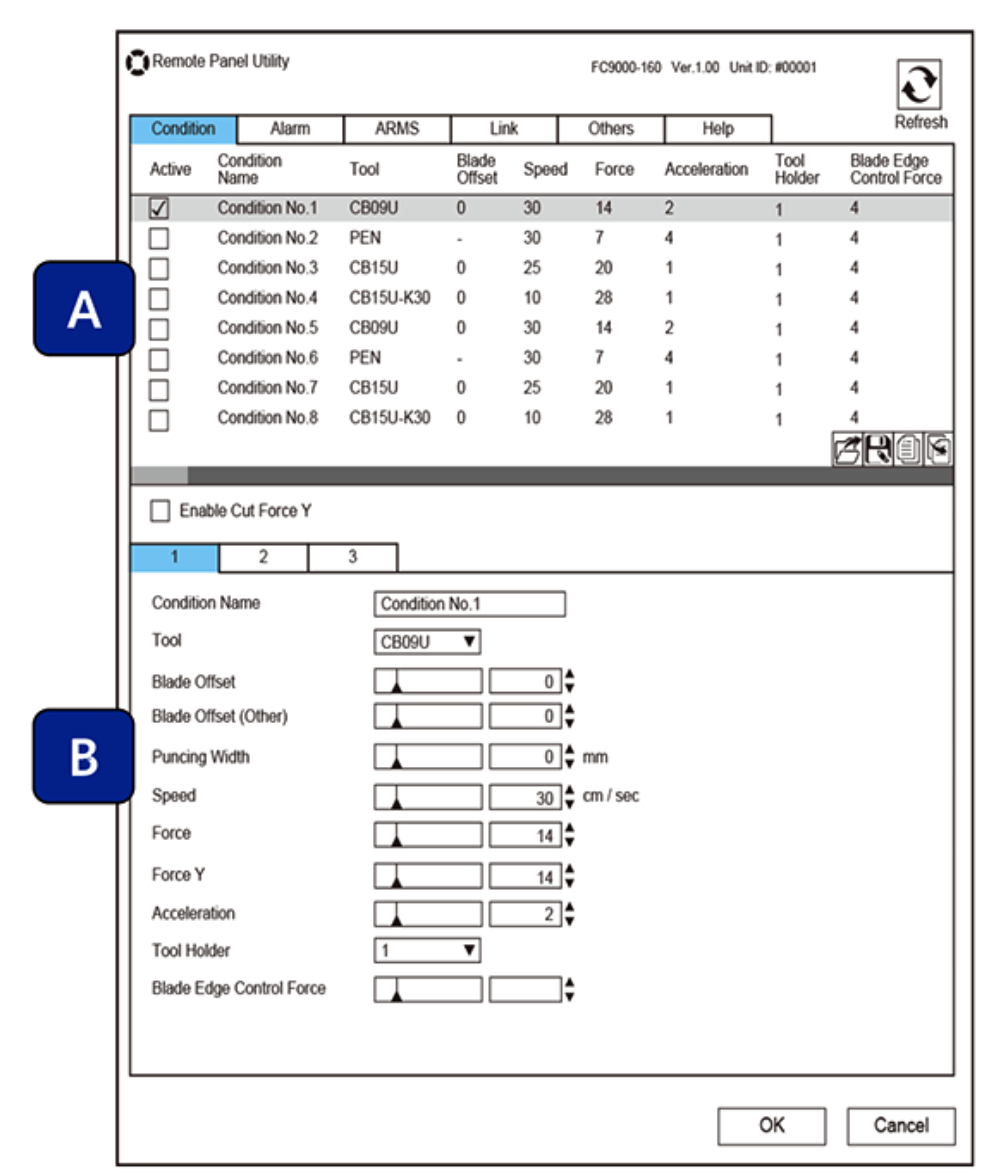
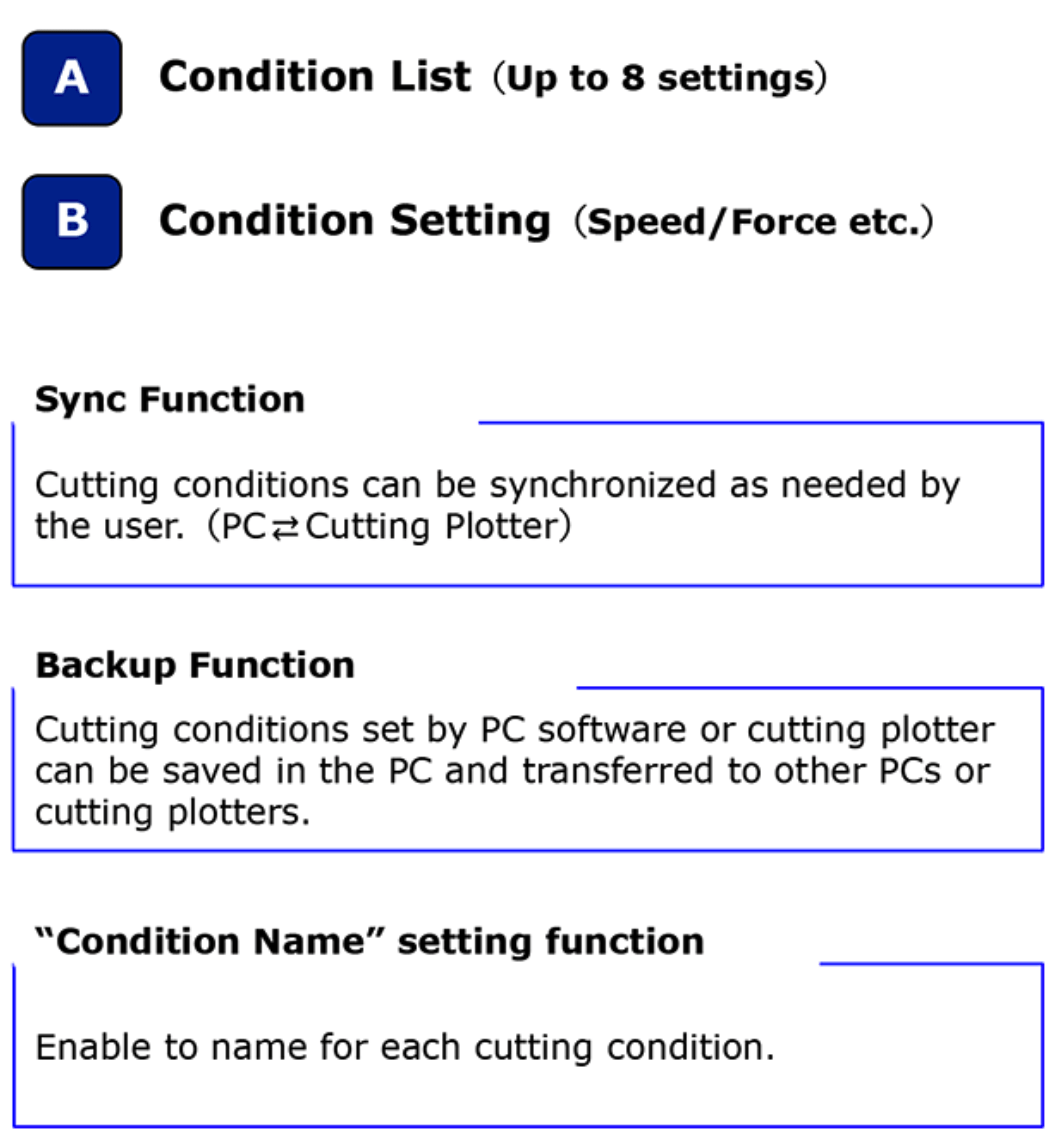


Our Graphtec Studio 2 software support varies file formats and cutting techniques, including perforations, scoring, and engraving, broadening the scope of possible projects. For businesses, this means improved productivity, reduced errors, and consistent quality, while hobbyists gain access to professional-grade tools that elevate their creative output.
ALL NEW Standalone Software Graphtec Studio 2 boasts a list of new and improved operational features with an intuitive interface that will boost your production to the next level.
Most notable new feature is the REMOTE PANEL UTILITY that gives you Full Access to the Cutter Control Panel from your computer for a more efficient workflow.
OTHER NEW FEATURES INCLUDE:
-
CONNECT CUTTERS EASILY with the New AUTO SYNC OPTION
-
Run MULTIPLE GRAPHTEC CUTTERS from One Computer
-
MAC & PC COMPATIBLE
-
EASY UPGRADE from SILHOUETTE SOFTWARE to the Graphtec Professional Line of Cutters and Software
Compatibility
Supported File Formats for Import

GRAPHTEC AMERICA Soluciones de corte de precisión
REGISTER
PRO SUPPORT